The storage limit for your alum Outlook mailbox is 50GB. You can access your email account at http://outlook.office.com. Sign in with your alumni email address (i.e. timbeaver@alum.mit.edu). If you're prompted to choose between work or school or personal account, choose the work or school account option. You should ultimately end up on the MIT Touchstone login page, where you should enter your alumni username (timbeaver) and password (the same credentials you use to login here).
Once you're logged in, you can clean up your mailbox here:
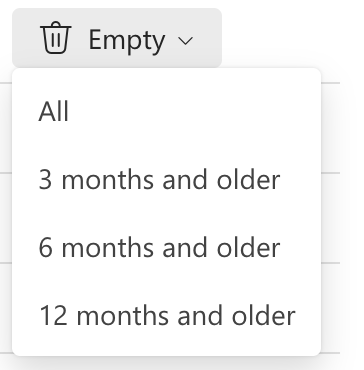
Clean up your inbox by clicking Empty and choosing one of these options:
Was this article helpful?
That’s Great!
Thank you for your feedback
Sorry! We couldn't be helpful
Thank you for your feedback
Feedback sent
We appreciate your effort and will try to fix the article